

In 2025, many beneficiaries prefer quick and reliable ways to confirm their payment amount before visiting a payment point. That is why BISP 8171 balance check and HBL ATM withdrawal remain hot topics for families who want to receive their installment smoothly and safely. A balance check helps you confirm whether your payment is released, while an ATM withdrawal provides a more private and convenient method when available for your payment route.
This complete guide explains how to check your balance through official methods, what you need before going to an HBL ATM, how biometric and CNIC verification works, and how to fix common issues like fingerprint mismatch, blocked status, or failed transactions.
 WhatsApp Channel
What BISP 8171 Balance Check Means in 2025
A balance check simply means confirming your payment status and available amount linked to your beneficiary record. Many people call it a balance check because they want to know if their installment is present before traveling. In reality, the system focuses on payment status verification, eligibility confirmation, and readiness for withdrawal or collection.
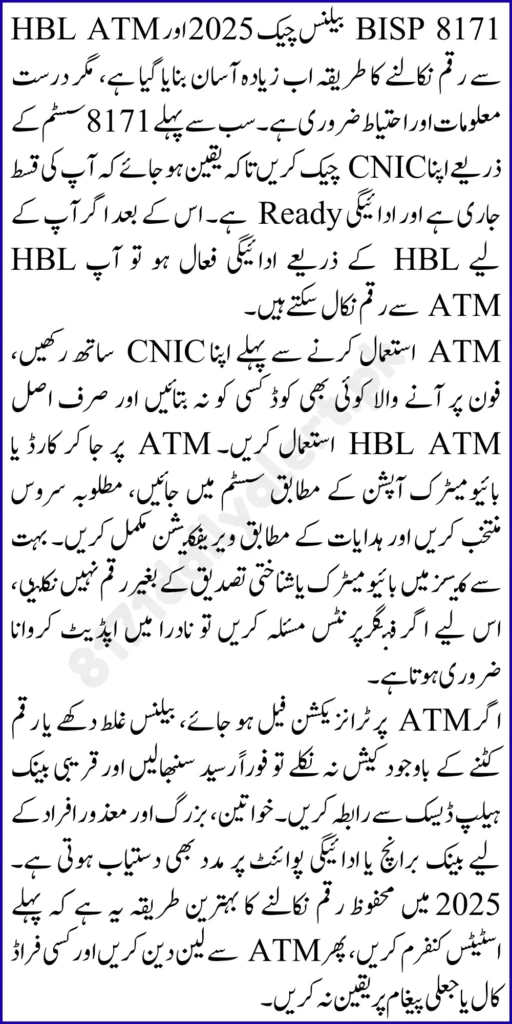
A proper balance check helps you:
- Confirm your BISP payment status is active
- Avoid unnecessary travel and long lines
- Detect verification issues early
- Reduce the risk of misinformation and scams
- Plan your withdrawal safely and confidently
If you check first, you stay in control of your payment journey.
Who Can Use HBL ATM Withdrawal for BISP Payments
Not every beneficiary withdraws through an HBL ATM, because payment routes can vary by area and policy. However, beneficiaries who have an eligible banking or card based payment channel can use ATM withdrawal.
You can typically withdraw if:
- Your beneficiary record is active and verified
- Your payment is released in the current cycle
- You have an approved payment card or linked withdrawal access
- Your CNIC is valid and not expired
- Your biometric verification or PIN process works correctly
If you are unsure, start with a CNIC verification check through 8171 and proceed based on your status.
How to Check BISP Status Through 8171 Before Withdrawal
Before going to an ATM, confirm your eligibility and payment readiness. The simplest method is the SMS check.
SMS Method
- Open your phone messaging app
- Type your 13 digit CNIC without spaces
- Send it to 8171
- Read the reply carefully
Common replies include:
- Eligible and payment ready
- Payment pending
- Verification required
- Survey required
- Not eligible
If your message indicates verification or survey updates, complete those steps before trying ATM withdrawal.
What You Need Before Visiting an HBL ATM
Preparation prevents failed attempts and keeps you safe.
Bring:
- Your CNIC
- Payment card if issued for your withdrawal route
- Your PIN if the system requires it
- A working mobile number for alerts and messages
- Clean and dry hands if biometric scanning is involved
Helpful safety reminders:
- Never share your PIN with anyone
- Avoid taking help from strangers near the ATM
- Prefer daytime visits for better security
- Keep your receipt until you confirm the amount is correct
These small steps reduce risk and stress.
Step by Step Guide to HBL ATM Withdrawal in 2025
If your payment route supports ATM withdrawal, follow these steps:
- Confirm payment readiness through 8171 status check
- Visit an HBL ATM during normal hours
- Insert your payment card
- Select the withdrawal option shown on the screen
- Enter PIN if prompted
- Complete biometric verification if required by the machine
- Select or enter the withdrawal amount
- Collect cash and transaction receipt
- Count cash privately and keep the slip safe
If the transaction fails, do not keep retrying many times. First identify the real issue.
How to Confirm You Receive the Full Amount
Beneficiaries often worry about deductions or incomplete cash dispensing. Use these checks:
- Verify the amount on the ATM screen before confirming
- Collect the printed receipt
- Count cash immediately
- Keep proof of your transaction for any complaint
Your payment must arrive in full, and your receipt is your strongest proof.
Comparison of Verification Methods
Verification decides whether your payment is released, whether you can withdraw, and whether your identity is confirmed correctly. Here is a helpful comparison.
| Verification Method | Purpose |
|---|---|
| CNIC Verification | Confirms identity and active beneficiary record |
| SMS 8171 Status Check | Confirms eligibility and payment readiness quickly |
| Biometric Verification | Confirms the real beneficiary during withdrawal or collection |
| Dynamic Survey Verification | Confirms household data for eligibility and continued support |
| Tehsil Office Review | Fixes blocked cases, mismatches, and duplicate records |
Common Problems During Balance Check and ATM Withdrawal
Even verified beneficiaries can face issues. Here are the most common ones and how to fix them.
No Reply from 8171
Possible reasons include network issues or incorrect CNIC formatting.
Fixes:
- Recheck CNIC digits
- Send again during off peak hours
- Ensure your phone has network coverage
- Keep basic SMS balance available
Payment Shows Pending
This means your payment cycle is not active yet or processing is ongoing.
Fixes:
- Check again after some time
- Avoid repeated ATM attempts
- Wait for official payment readiness message
Verification Required Message
This usually indicates missing or mismatched information.
Fixes:
- Visit the Tehsil Office for record update
- Bring CNIC and relevant documents
- Recheck status through 8171 after updates
Biometric Mismatch at ATM
Fingerprints may fail due to dry skin, device sensitivity, or outdated biometric records.
Fixes:
- Wash and dry hands properly
- Try a different finger if allowed
- Use another ATM with a better scanner
- Update fingerprints if failures repeat
ATM Debits but Cash Does Not Dispense
This is rare but possible in network issues.
Fixes:
- Keep the receipt
- Note exact time and ATM location
- Use official complaint channels with transaction proof
- Avoid repeated transactions until resolved
These solutions help you protect your funds and avoid panic.
Best Practices for Safe and Smooth HBL ATM Use
To improve success and safety:
- Visit ATMs in well lit areas
- Prefer daytime withdrawals
- Do not accept help from unknown persons
- Keep your card and CNIC secure
- Keep receipts until you confirm money is correct
- If a transaction fails, pause and verify the issue first
A calm approach prevents mistakes and protects your payment.
BISP 8171 NADRA Biometric Payment 2025: CNIC Check and Online Registration
When You Should Visit a Tehsil Office Instead
Some issues cannot be solved at the ATM level. Visit a Tehsil Office if:
- Your status stays verification required
- Your household survey needs updating
- Your CNIC data mismatch blocks payment
- Your biometric fails repeatedly everywhere
- Your record shows duplicate or conflict issues
Fixing the root cause once saves repeated travel and failed withdrawals.
BISP NSER Survey 2025: Complete Registration and Eligibility Guide
Final Words
The BISP 8171 balance check and HBL ATM withdrawal process in 2025 becomes easier when you follow the correct steps. Always start by confirming your status through 8171 CNIC check, then visit the ATM only when your payment is ready. Keep your CNIC valid, protect your PIN, and save your receipts to ensure you receive your payment safely and in full. If a problem appears, focus on solving the cause through official updates instead of repeated ATM attempts. With the right approach, your payment journey becomes smooth, secure, and stress free.
FAQs
1. How do I check my BISP status through 8171 in 2025?
Send your 13 digit CNIC to 8171 and read the eligibility or payment readiness reply.
2. Can every BISP beneficiary withdraw from an HBL ATM?
Not always. ATM withdrawal depends on your assigned payment channel and verification readiness.
3. What should I do if my balance shows payment pending?
Wait for your cycle to activate and check again later through 8171 before visiting an ATM.
4. Why does my fingerprint fail at the ATM?
Dry fingers, worn prints, device issues, or outdated biometrics can cause mismatch. Retry with clean hands or update biometrics if needed.
5. What if the ATM deducts but does not give cash?
Keep the receipt, note details, and report the issue with transaction proof through official channels.
6. Do I need my CNIC for ATM withdrawal?
Yes, your CNIC verification supports identity checks and record matching.
7. When should I go to the Tehsil Office for help?
Go when your status shows verification required, survey pending, or repeated biometric mismatch blocks your payment.