


6 Easy Ways to Check BISP 8171 Payment Status Online and Offline. If you receive financial support through BISP, checking your payment status on time is one of the smartest habits you can build. In 2025, the BISP 8171 system continues to run with stronger verification and frequent updates, which means your status can change from eligible to under verification, or from pending to payment ready. Many beneficiaries still waste time in lines because they do not check their status first. The good news is that you can confirm your BISP 8171 payment status using simple online and offline methods, often within a few minutes.
 WhatsApp Channel
This guide shares 6 easy ways to check your payment status, explains what each method is best for, and shows how to stay safe from deductions and scams. You will also learn how to read common status messages and what to do if your payment shows collected but you do not receive it.
Why Checking BISP 8171 Payment Status Matters
Payment issues usually happen when people do not know their actual status. If you check regularly, you avoid delays and protect yourself from fraud.
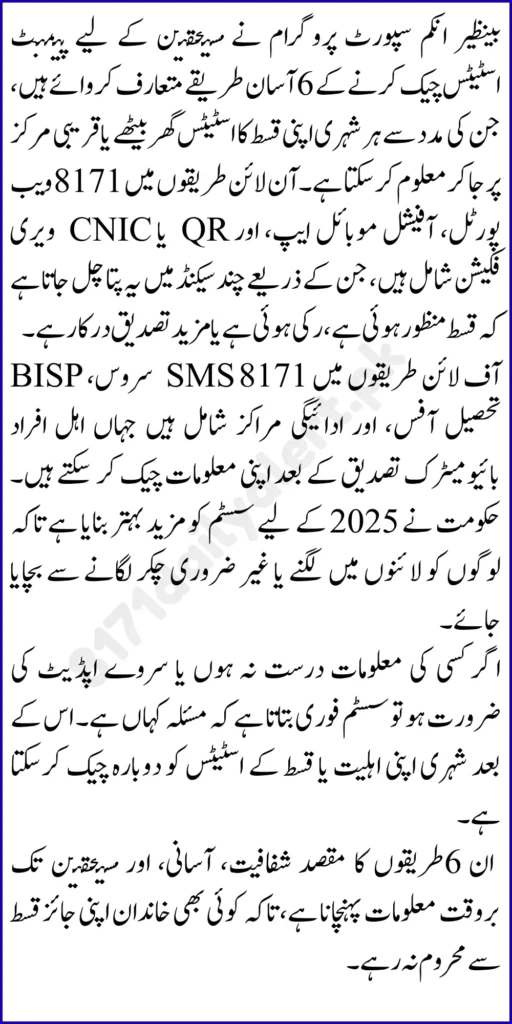
Checking your status helps you:
- confirm eligibility verification before visiting a center
- avoid unnecessary travel and long lines
- know whether your payment is released, pending, or blocked
- reduce the risk of illegal deductions by knowing your exact amount
- act quickly if there is a problem like biometric failure or record mismatch
In short, status checking is your first line of protection.
What You Need Before You Check Your Payment Status
No matter which method you use, the system usually requires your CNIC information. Preparing these basics makes the process smooth.
Keep ready:
- your original CNIC number with correct digits
- your registered mobile number if available
- any token or receipt number if you recently updated info
- patience to recheck if the status is updating
Important rule: never share your CNIC photo or personal details with unknown people claiming they can speed up your payment.
Method 1: Check Payment Status via 8171 SMS Using CNIC
The 8171 SMS check is one of the easiest methods because it works even on simple mobile phones. It is especially helpful for rural users or anyone without internet.
How it works in practice:
- type your 13 digit CNIC number
- send it to 8171
- wait for the reply message with your status
This method is best for:
- quick eligibility and payment confirmation
- people without smartphones or internet
- fast updates when you are traveling
If you do not receive a reply, check network balance, signal strength, and ensure CNIC digits are correct.
Method 2: Check Payment Status Through the 8171 Web Portal Online
The 8171 web portal is widely used because it provides a clearer view of payment and verification status. Many beneficiaries prefer it because they can check from home and understand what step is needed next.
This method is best for:
- detailed status messages like eligible, under verification, blocked
- repeated checking without visiting a center
- families helping elders check their status online
If your status shows under verification, it usually means your data is being reviewed and may update after the next system refresh.
Method 3: Visit an Official Payment Center for On Spot Verification
If online methods are unclear or your case is complicated, visiting a payment center can help because staff can verify your identity and confirm whether payment is ready.
This method is best for:
- beneficiaries facing biometric issues
- people who cannot use online tools
- cases where status is confusing or stuck
- immediate verification before cash collection
Bring your original CNIC and do biometric verification yourself. Count cash at the counter if payment is released.
Method 4: Check Through Local Support Office for Record and Status Confirmation
A local support office is useful when your status shows blocked, not eligible, or under process for a long time. Offices usually guide you about record correction steps, document requirements, and verification updates.
This method is best for:
- blocked status resolution
- record mismatch correction
- updating personal or household information
- complaint registration if you face payment deduction or fraud
Keep your documents ready and avoid paying any agent for help.
Comparison of Verification Methods
| Method | Details |
|---|---|
| Official Program Website | Official guidance and updates: https://bisp.gov.pk |
| 8171 SMS CNIC Check | Send CNIC to 8171 for quick payment status response |
| 8171 Web Portal | Online CNIC validation and payment tracking from home |
| Payment Center Biometric Check | Fingerprint verification confirms payment release at collection point |
| Local Office Support | Handles blocked cases, record corrections, and complaint reporting |
Method 5: Use Biometric Verification Result to Confirm Payment Release
For many beneficiaries, the final confirmation happens at the biometric stage. Even if your status shows payment ready, funds only release after biometric verification succeeds.
This method is best for:
- confirming payment is actually released on the spot
- preventing someone else from collecting your funds
- verifying identity if you are an active beneficiary
To improve biometric success:
- wash and dry hands before scanning
- avoid lotion or oil on fingers
- request scanner cleaning if needed
- retry calmly instead of pressing too hard
If biometric fails repeatedly, you may need official biometric update support.
Benazir Hunarmand Program 2025: Eligibility, Benefits, and Registration
Method 6: Check Status Through Your Registered Updates and Receipts
Many beneficiaries forget that receipts and token numbers matter. If you recently updated household data, changed mobile number, filed a complaint, or completed verification, your receipt helps confirm what stage you are in.
This method is best for:
- tracking progress after submitting updates
- proving that you filed a complaint or correction request
- following up when you do not see status changes quickly
Always keep your receipt safe because it becomes evidence if your case gets delayed.
BISP 8171 December 2025 Payment Update: Check Status and Get Ready
How to Understand Common Payment Status Messages
Knowing messages is as important as checking. Many people misread messages and take the wrong step.
Common messages include:
- Eligible means you qualify and payment is processing
- Payment Ready means you can collect after biometric verification
- Under Verification means the system is reviewing your record
- Blocked means there is a mismatch or issue to correct
- Not Eligible means you do not meet criteria right now
- Payment Collected means the system marks payment as issued
If your portal shows payment collected but you did not get cash, report it immediately through the official complaint route.
BISP Verification Restarted 2025: Fix Under Process Status and Get Paid
Quick Troubleshooting If Your Status Is Not Updating
Sometimes your status looks stuck. In most cases, this is temporary because the system updates in cycles.
Try these practical fixes:
- recheck CNIC digits for typing mistakes
- ensure CNIC is not expired
- use an active mobile number for messages
- wait for the next update cycle if under verification
- visit the local support office if status remains blocked
- keep proof of any recent survey update or complaint
Avoid repeated visits to centers unless you have a clear payment ready confirmation.
Ehsaas 8171 PMT Score Guide 2025: Start Receiving Money Step by Step
Safety Tips to Avoid Fraud and Illegal Deductions
Sadly, deductions happen when beneficiaries do not know their exact entitlement. A strong habit is to confirm payment amount and status before leaving the counter.
Stay safe with these rules:
- never share CNIC photo or code with strangers
- do not pay anyone to check status or release payment
- always count cash at the counter
- keep your receipt or confirmation message saved
- collect money only through authorized channels
- report deductions immediately on the spot
If someone forces a cut, take the issue to official support staff immediately.
BISP 8171 Web Portal December 2025: Check 30,000 Status by CNIC
Final Words
Checking your BISP 8171 payment status is now easy because you have multiple online and offline methods. The most reliable approach is to start with the 8171 SMS CNIC check or the 8171 web portal, then visit a payment point only when your status confirms readiness. If your status shows under verification or blocked, focus on record correction instead of wasting time in lines. When you stay informed, you protect your money, your time, and your household support.
FAQs
1) What is the easiest way to check BISP payment status?
The easiest method is the 8171 SMS CNIC check because it works on any mobile phone without internet.
2) How often should I check my payment status?
Check when a new payment cycle starts, and recheck if your status shows under verification or pending.
3) What does under verification mean in 2025?
It means your record is being reviewed. Your status usually updates after system verification completes.
4) What should I do if my biometric verification fails?
Wash and dry your hands, retry calmly, and use official support to update biometrics if it fails repeatedly.
5) What if the portal says payment collected but I did not receive money?
Report it immediately through the nearest support office with your CNIC and request a complaint entry.
6) Can I check status if my CNIC is expired?
Expired CNIC can block verification and payments. Renew your CNIC first for smooth processing.
7) How do I avoid deductions by agents?
Know your exact payment amount, count cash at the counter, refuse illegal cuts, and report the issue immediately.